Educational apps for kids aged 1–6: how to choose a good one (8 criteria)
The Lulla Kids team · Updated: · 9 min read


In short
- The “educational” label is no guarantee. In a 2021 analysis of 124 popular “educational” apps (Meyer, Zosh et al., Journal of Children and Media), 58% received a low quality score.
- What matters, according to the science of learning (Hirsh-Pasek et al., 2015): your child thinks actively (rather than just tapping), isn't distracted, connects what they do to their own life and talks to someone about what they're learning.
- Advertising is almost everywhere: in a 2019 University of Michigan study, 95% of the apps analysed for children aged 5 and under had at least one form of advertising (from branded characters and offers to unlock the full version to video ads), and apps labelled “educational” were no exception.
- 8 quick criteria (full list): the app has no ads or pressure, suits your child's age, makes them think, has parental controls and a time limit, collects little data and needs no account, works without internet, has clear prices and a calm design.
- Play it yourself first, then together with your child: the American Academy of Pediatrics (AAP, 2026) says the effects of high-quality content grow when an adult takes part.
Are educational apps for kids actually educational?
Educational apps for kids are not automatically educational: a 2021 analysis by a team including Jennifer Zosh gave 58% of 124 popular “educational” apps a low quality score. The researchers rated each app against four “pillars” from a 2015 paper by Kathy Hirsh-Pasek, Zosh and colleagues: learning that is active, engaged, meaningful and socially interactive.
The difference doesn't show in the screenshots, but in what your child does in the game, and in what the game pushes them to do. The 2015 paper, published in Psychological Science in the Public Interest, adds that the child should be guided towards a learning goal. In short, according to the summary published by the Association for Psychological Science (APS, 2015), a good app is:
- active: it requires mental effort, not just swiping;
- engaging, not distracting: it keeps your child focused on what they're learning; the APS notes that attention-grabbing sound, movement and visual effects can distract;
- meaningful: connected to your child's life;
- socially interactive: children learn best with others.
The 2021 analysis, published in the Journal of Children and Media, scored each app against these pillars, with 0–3 points for each; the 124 apps included the top 100 educational apps for children in the Google Play and App Store charts, and 72 of them (58%) had a total score of 4 or less, meaning low quality. Free apps scored lower than paid ones, because of distracting features.
Hence Jennifer Zosh's advice, in a 2021 Penn State release: don't automatically trust that an app marked “educational” in the app store is actually educational.
What do paediatricians recommend about kids' apps?
In its 2026 policy statement, the American Academy of Pediatrics (AAP) says that in preschoolers, high-quality educational content is associated with more prosocial behaviour and better language, and that some educational apps can support language learning and STEM learning (science, technology, engineering and maths). The effects are stronger when an adult takes part.
Among the risks, the AAP (2026) lists low-quality apps with “educational” claims, shallow learning goals, ads and lots of “gamification”, as well as manipulative design that pushes towards purchases or more screen time.
On HealthyChildren.org (2026), the AAP's website for parents, the advice is to use only apps and shows that teach children something, spark their creativity and encourage connection with others; to avoid content with lots of ads, violent content or content that isn't right for their age; and to turn off autoplay and notifications, which are designed to keep children hooked for longer.
Jennifer Zosh (Penn State, 2021) recommends talking to your child about what's happening while they play and pointing out things around you that relate to what they see in the app. For example: after an animal-sounds game, look for a dog together in a book or at the park.
Time matters too. The World Health Organization (WHO, 2019) does not recommend screen time under age 1, or sedentary screen time at age 1; at 2–4, no more than one hour a day, and less is better. You'll find the details by age in our guide to screen time for toddlers.
How common are ads and traps in kids' apps?
Advertising is common in apps for young children. A 2019 University of Michigan study of 135 apps used by or made for children aged 5 and under found that 95% had at least one form of advertising, broadly defined to include branded characters and offers to unlock the full version, and “educational” apps were no exception.
The study, by a team including Marisa Meyer and paediatrician Jenny Radesky, was published in 2019 in the Journal of Developmental & Behavioral Pediatrics; 96 of the apps were the most downloaded in their category on Google Play. It found that:
- 129 apps (95%) had at least one form of advertising, including requests to rate the app: all of the free apps and 88% of the paid ones;
- 35% had pop-up ads that interrupt play, some of which couldn't be closed right away; 7% had hidden ads or ads disguised as objects in the game;
- some characters looked disappointed when the child failed or didn't pick the locked items, and the authors say this could be described as social pressure.
The 2019 study's authors point out that, according to earlier research, children under 6–8 can't tell the difference between content and advertising, and an ad woven into a game may be even harder to avoid. Their advice: play together with your child, and uninstall apps with too many ads or manipulative design.
In 2022, a team also led by Jenny Radesky published a study in JAMA Network Open analysing 133 apps used by 160 children aged 3–5, looking for manipulative design: interactions that aren't suited to the child's age, or features that take away the child's freedom to choose so the app can make money. Only 20% of the apps in this 2022 study had no such features. Among the tricks they looked at:
- pressure from characters: a character pushes the child to keep playing or to buy something, by shaming, teasing or manipulating them;
- time pressure: made-up urgency at decision points, such as a countdown;
- lures: tokens, rewards, virtual toys and visual cues that push towards a particular action;
- ad pressure: ads that insist on being watched or offer rewards for watching.
How do you choose educational apps for kids? 8 criteria
To choose educational apps for kids, check eight things: no ads or lures, the right level for your child's age, active rather than passive play, parental controls with a real time limit, little data and no account, offline play, clear prices, and a calm design with no pressure. Each criterion below comes with a quick way to check it.
- No ads and no lures. Look for kids' apps with no ads, no buy buttons within your child's reach and no coins calling them back. How to check: on Google Play, apps with ads carry the “Contains ads” label, declared by the developer. It doesn't cover offers to buy: for those, Google Play shows a separate notice, “Offers in-app purchases”, below the app's name on the website, or by the Price or Install button in the Google Play app. How often and how insistently the offers appear, though, you'll only see by playing.
- Right for their age, with difficulty that grows with your child. A game that's too hard frustrates; one that's too easy bores. How to check: when you're looking for learning games for 2- and 3-year-olds, see whether the app asks for your child's age and changes anything based on it, such as how many choices appear on screen. At 1, the WHO (2019) does not recommend sedentary screen time, so it's perfectly fine to wait.
- Active, not passive. Your child chooses, counts, matches, answers; if they only tap to start an animation, it's closer to a cartoon. How to check: after five minutes, ask yourself what they had to think about.
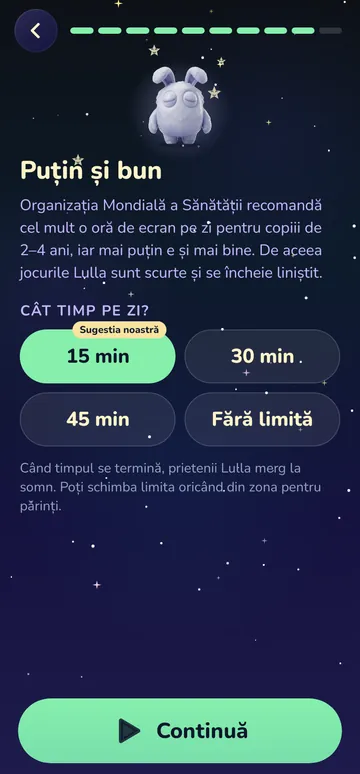
- Parental controls and a real time limit. Settings and purchases sit behind a check for grown-ups, and the game stops when the limit you chose is up, rather than moving on by itself to “one more level”. How to check: look for the limit in the settings; if there isn't one, use the phone's own time limits. The authors of the 2021 analysis also recommend that parents install apps themselves or set a password for any download.
- Little data, no account. A 2020 study published in JAMA Pediatrics found that 303 of 451 apps played by preschoolers (67%) sent persistent digital identifiers to third parties. How to check: the “Data safety” section on Google Play, filled in by the developer, shows what data the app collects and whether it shares it. Also ask yourself whether the game really needs an account, an email address, the camera, the microphone or your location.
- Works without internet. Handy in the car, on a plane or wherever there's no signal. How to check: put the phone in aeroplane mode and open the app.
- Clear prices. You know in advance what's free, what costs money, how long the free trial lasts, what you'll pay after it and how to cancel. How to check: look for the prices in the Google Play description or on the app's website before you start a free trial. Good to know: on Google Play, uninstalling the app doesn't cancel the subscription, and after you cancel, you can keep using it until the end of the period you've paid for.
- Calm design, no timers and no pressure. No countdowns, no characters who get upset, no “You lost!”. How to check: make a few mistakes on purpose and see how the app reacts.
When should you uninstall a kids' app? Red flags
It's worth uninstalling a kids' app that has too many ads or manipulative design, advise the authors of the 2019 University of Michigan study on advertising in children's apps. Typical red flags are ads that interrupt play, characters who push your child to buy or keep playing, countdowns, and levels that start by themselves with no natural stopping point.
On HealthyChildren.org (2026), the AAP reminds parents that autoplay, endless scrolling and targeted ads aren't built with children's well-being in mind. Look for something else if you see:
- ads that interrupt play or can't be closed right away;
- locked items or levels that characters urge your child to buy;
- characters who get sad, get upset or push your child to keep playing;
- countdowns, “limited-time offers”, chests and coins at every step;
- levels that start by themselves, with no natural stopping point;
- requests for an account, an email address or access to photos, the microphone or location, with no clear reason;
- a free trial that doesn't show the price that follows it, or doesn't say the subscription renews automatically.
Many of these show up quickly if you play for about 10 minutes yourself first: finish a level, make mistakes, leave the game untouched for a minute. Then, the first time you hand your child the phone, play together.
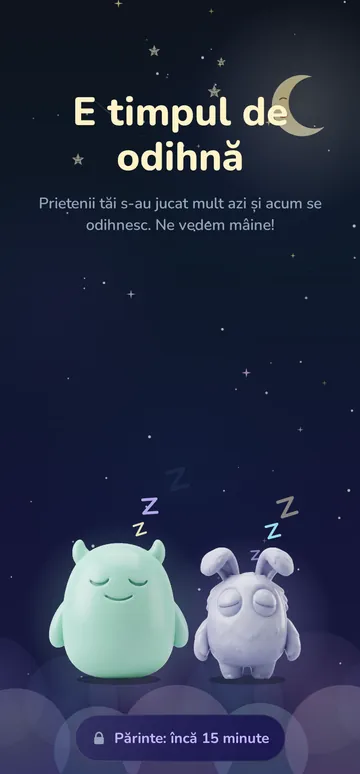
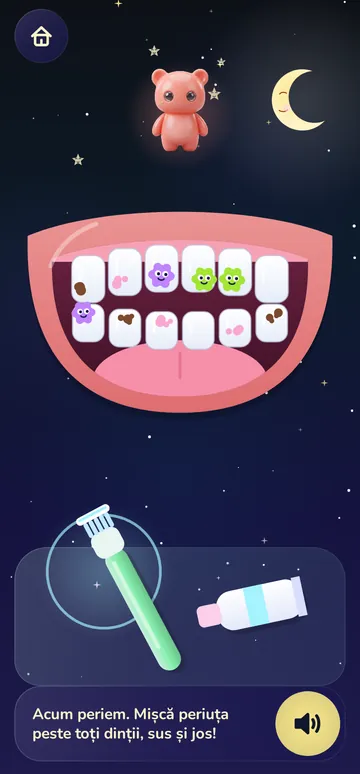
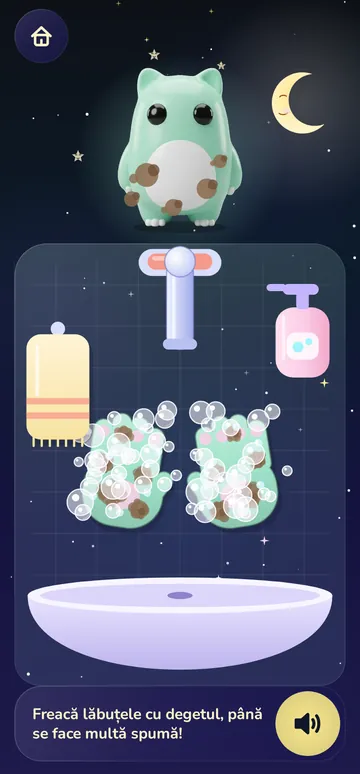
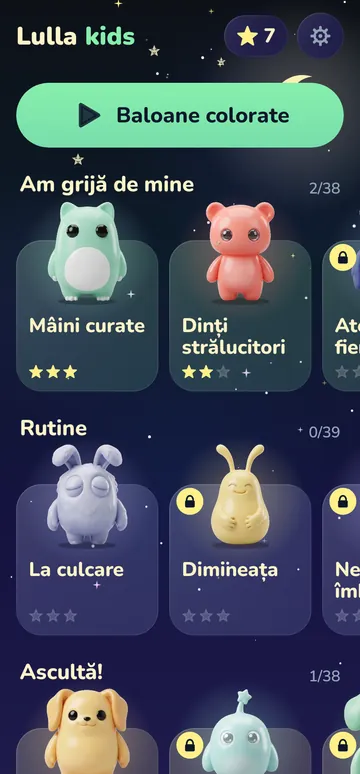
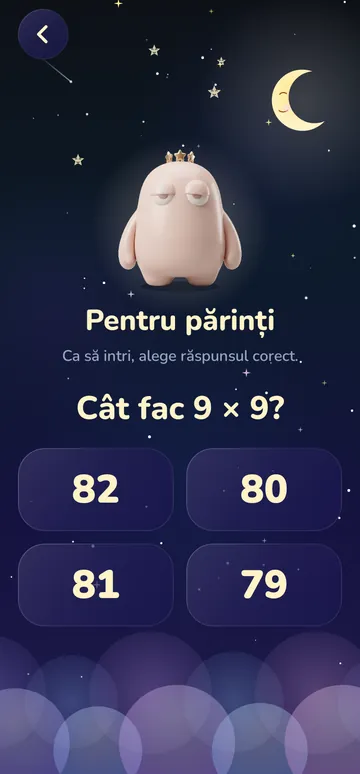
A word about us: Lulla Kids, our app for children aged 1–6 (children aged 1–2 play alongside a parent), has no ads, needs no account, works offline and has no timers. You choose the daily limit, and the settings sit in the grown-ups' area, protected by a question for grown-ups. It's for Android only and still in development. One of the games is brushing Bubu's teeth; if toothbrushing is a battle in your house, see our ideas for toothbrushing standoffs.
Frequently asked questions
Do kids actually learn from educational apps?
They can, from high-quality apps: the American Academy of Pediatrics (2026) says high-quality educational content is associated with better language and more prosocial behaviour in preschoolers. The effects grow when an adult takes part, but a 2021 analysis of 124 popular “educational” apps found that 58% had a low quality score, so which app you choose matters, and so does how involved you are.At what age can a child use educational apps?
The WHO (2019) does not recommend screen time under age 1 or sedentary screen time at age 1; at 2–4, it recommends no more than one hour a day. Less is better, the WHO adds. From age 2, choose apps using the criteria above and play together as much as you can.Are free kids' apps worse than paid ones?
Not necessarily, but they more often have ads. In the study published in 2019 in the Journal of Developmental & Behavioral Pediatrics, all the free apps had at least one form of advertising, compared with 88% of the paid ones, and pop-up video ads were found in 54% of the free apps and 2% of the paid ones. In the 2021 analysis, free apps scored lower than paid ones because of distracting features, but a price tag doesn't guarantee quality, so check every app against the same criteria.How can I tell if a kids' app has ads?
On Google Play, apps with ads show the “Contains ads” label on their page, declared by the developer. Offers to buy aren't covered by this label; for those, Google Play separately shows “Offers in-app purchases”. To see how insistent the ads and offers are, play for about 10 minutes yourself: in the 2019 study, pop-up ads appeared between levels or when nobody was touching the screen, and some were hidden in objects in the game, so finish a level, make mistakes and leave the game untouched for a minute.What are the best educational apps for toddlers?
There's no ranking that works for every child, and a top spot in the app store doesn't guarantee quality. In the 2021 analysis, which included the top 100 educational apps for children in the store charts, 58% of the 124 apps had a low quality score. The best app suits your child's age, makes them think, has no ads or pressure to buy, leaves you in control of the time and is one you can use together: check it against the 8 criteria in this article and play it yourself first.
Sources
- Hirsh-Pasek K., Zosh J. M., Golinkoff R. M. et al. (2015). Putting Education in “Educational” Apps: Lessons From the Science of Learning (Psychological Science in the Public Interest, 16(1))
- Association for Psychological Science (APS) (2015). Science of Learning Can Help Parents, Developers Grade Educational Apps
- Meyer M., Zosh J. M., McLaren C. et al. (2021). How educational are “educational” apps for young children? App store content analysis using the Four Pillars of Learning framework (Journal of Children and Media, 15(4))
- Penn State University (2021). Top educational apps for children might not be as beneficial as promised
- Meyer M., Adkins V., Yuan N., Weeks H. M., Chang Y.-J., Radesky J. (2019). Advertising in Young Children's Apps: A Content Analysis (Journal of Developmental & Behavioral Pediatrics, 40(1))
- Radesky J., Hiniker A., McLaren C. et al. (2022). Prevalence and Characteristics of Manipulative Design in Mobile Applications Used by Children (JAMA Network Open, 5(6))
- Zhao F., Egelman S., Weeks H. M. et al. (2020). Data Collection Practices of Mobile Applications Played by Preschool-Aged Children (JAMA Pediatrics, 174(12))
- American Academy of Pediatrics (2026). Digital Ecosystems, Children, and Adolescents: Policy Statement (Pediatrics, 157(2))
- HealthyChildren.org (American Academy of Pediatrics) (2026). How to Make a Family Media Use Plan
- HealthyChildren.org (American Academy of Pediatrics) (2026). Helping Kids Thrive in a Digital World: AAP Policy Explained
- World Health Organization (2019). To grow up healthy, children need to sit less and play more
- Google Play Help. Understand app privacy & security practices with Google Play's Data safety section
- Play Console Help. Prepare your app for review (the “Contains ads” label)
- Google Play Help. Make in-app purchases in Android apps
- Google Play Help. Cancel, pause, or change a subscription on Google Play
General information for parents. It does not replace advice from your paediatrician or dentist.
Play it yourself first, then play together
500 games and lessons for ages 1–6, with no ads and no account needed, that work without internet. 18 are free; the rest come with monthly or lifetime Premium.
18 free games · Premium by subscription or one-time payment · Android app in development